Pada kesempatan kali ini akan dibahas cara untuk menambah jumlah Followers atau pengikut Twitter anda. Pastinya cara ini sangat berguna untuk menambah eksistensi anda di jejaring sosial dunia maya khususnya di twitter. Banyaknya Follower pasti juga akan menambah bangga dengan twitter anda. Ada satu website yang dapat membantu anda untuk menggaet Followers dalam waktu singkat yaitu Twiends.
Apa itu Twiends ?
Twiends adalah salah satu web yang menyediakan layanan untuk membantu anda dalam meningkatkan Follower anda dalm waktu yang singkat. Anda juga dapat memasukkan minat dan negara anda agar bisa mendapatkan follower yang memiliki kesukaan yang sama dengan anda
Langsung saja cara penggunaan Twiends
- Pertama, anda tentunya harus masuk ke website Twiends.com
- Setelah masuk ke Homepage dari twiends, klik pada tombol “Sign in with Twitter” untuk login ke dalam
- Lalu akan muncul halaman pengizinan, klik ”Authorize app” agar Twiends bisa bekerja untuk Twitter anda.
- Lalu akan muncul tampilan seperti gambar dibawah ini
penjelasan :
a. Seeds : Jumlah seed yang anda miliki, semakin banyak seed yang anda miliki maka semakin banyak orang yang bisa memfolow anda. jika jumlah seed 0 maka tidak ada followers yang bisa anda dapatkan
b. Search Interest : untuk mempermudah mencari orang dengan hobi atau kesukaan tertentu yang anda inginkan
c. Country, Interest atau All : adalah pilihan untuk mencari seseorang dengan negara atau kesukaan yang sama persis dengan anda
d. Follow : adalah tombol yang bisa anda gunakan untuk mem-follow orang. Tombol ini adalah sumber satu-satunya seed gratis. jadi semakin banyak anda mem-follow orang maka semakin banyak seed yang anda dapatkan dan semakin banyak pula orang yang akan menjadi Followers anda
e. Get ...... Seed : jumlah seed yang anda dapat apabila anda mem-follow orang tersebut. jadi carilah orang yang memberikan seed banyak.
f. Buy Seed : cara unutk mendapatkan seed dengan cara membeli
PENTING !!! JIKA ANDA SUDAH MEM-FOLLOW ORANG YANG ADA DI TWIENDS, ANDA MASIH BISA MENGHAPUSNYA DENGAN UNFOLLOW ORANG TERSEBUT. JADI JANGAN TAKUT ANDA KEBANYAKAN FOLLOWING
Peraturan Twiends :
Don't create fake accounts.
Don't spam others.
Don't use automation tools, like bots, auto-clickers or external scripts.
Don't buy or sell accounts.
Don't churn.
sekian cara yang bisa anda dapatkan apabila anda ingin mendapatkan follower dengan cepat. apabila anda men-copy tulisan ini dimohon dengan sangat untuk mencantumkan Sumber dari halaman ini, hargailah penulis lain. Oh iya!! ada satu lagi ---> anda harus komen di blog ini :D hehe
please take out with full credit : http://fajarsuwon.blogspot.com
<a href="http://www.alexa.com/data/details/traffic_details?url=http://fajarsuwon.blogspot.com/"></a>
SELAMAT BERBURU FOLLOWERS :)

 3. open your profile page, by clicking your name on the left top of the page
 4. after you get in to your profile page, follow this picture by clicking the red part (there is no red sign in the website and i don't know what it means.. so just follow)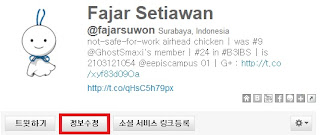
 5. Click browse and select your image, and then click the upload button (like the red-signed part elow)


